

Time-Saving Keyboard Shortcuts for Excel That Every User Should Know
The Excel mouse habits quietly costing you time — and the single keystroke that kills each. Stop scrolling, dragging, copy-pasting, and ribbon-hunting.

The Excel mouse habits quietly costing you time — and the single keystroke that kills each. Stop scrolling, dragging, copy-pasting, and ribbon-hunting.
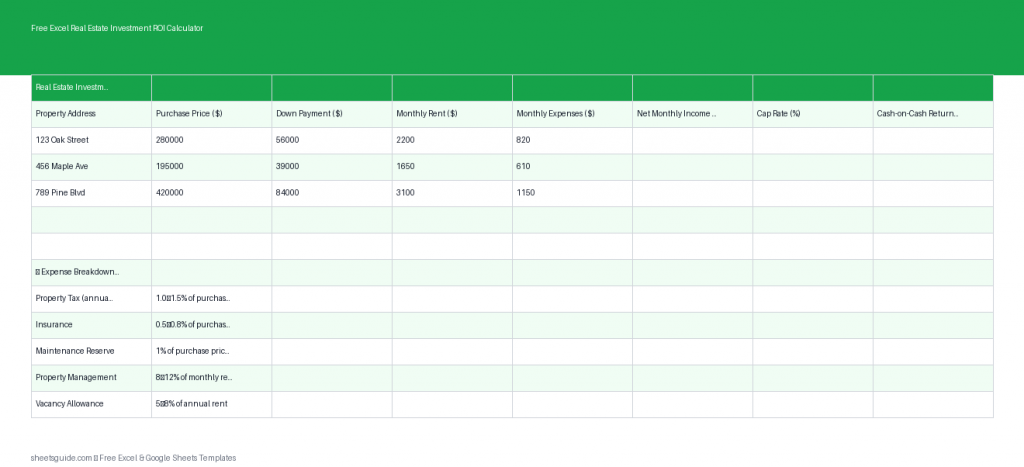
Use this free Excel template to calculate rental ROI, cap rate, and cash-on-cash return automatically.

Excel data validation that keeps entries clean — dropdown lists, number and date rules, input messages, custom-formula checks, dependent dropdowns, and Circle Invalid Data.
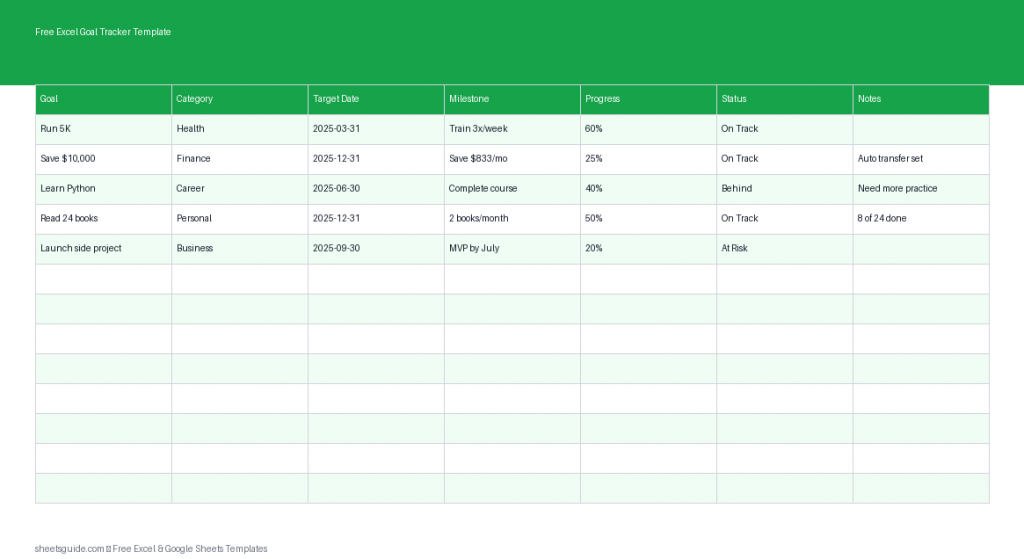
Track goals and milestones with this free Excel template. Set targets, monitor progress, and stay focused all year.

Build a reusable invoice in Google Sheets — start from a template, add dropdowns and auto-filling dates, copy one per client, and send a clean PDF or a live link.
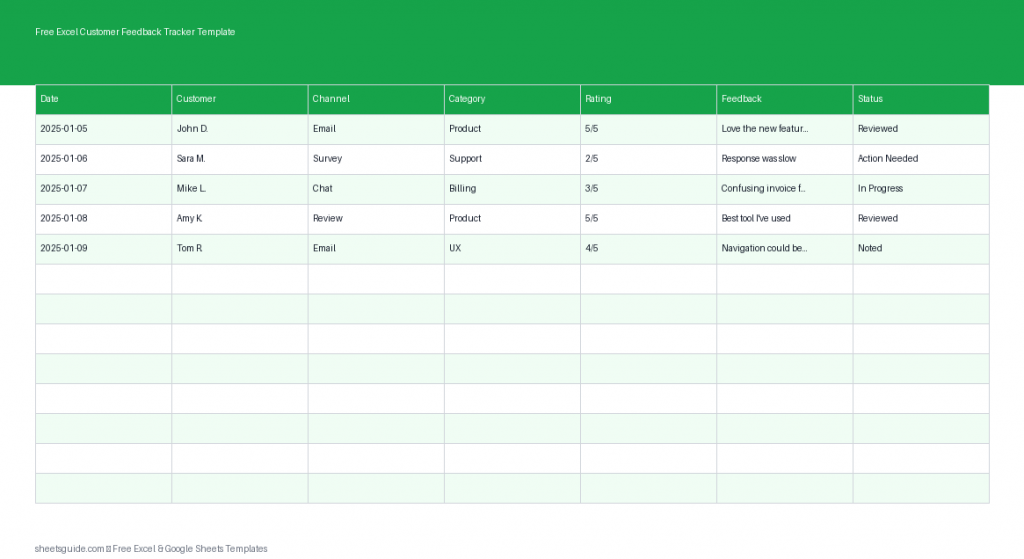
Use this free Excel template to collect, track, and analyze customer feedback in one organized place.

Build Excel charts that earn their place in a report — match the chart to your message, strip the clutter, use combo charts and sparklines, and wire visuals to live data.
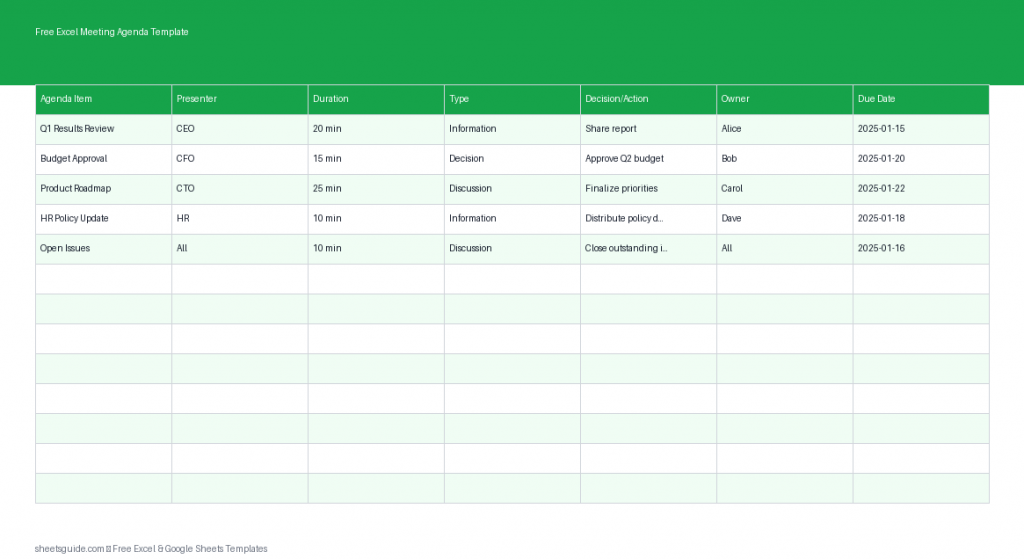
Download this free Excel template to organize meeting agendas, assign actions, and track follow-ups with clarity.

Use conditional formatting in Google Sheets to make reports scannable: single-color thresholds, color-scale heat maps, and custom-formula whole-row rules.

Level up your Excel macros — store them in the Personal Macro Workbook, write reusable routines, chain them into one-click workflows, and hand data shaping to Power Query.
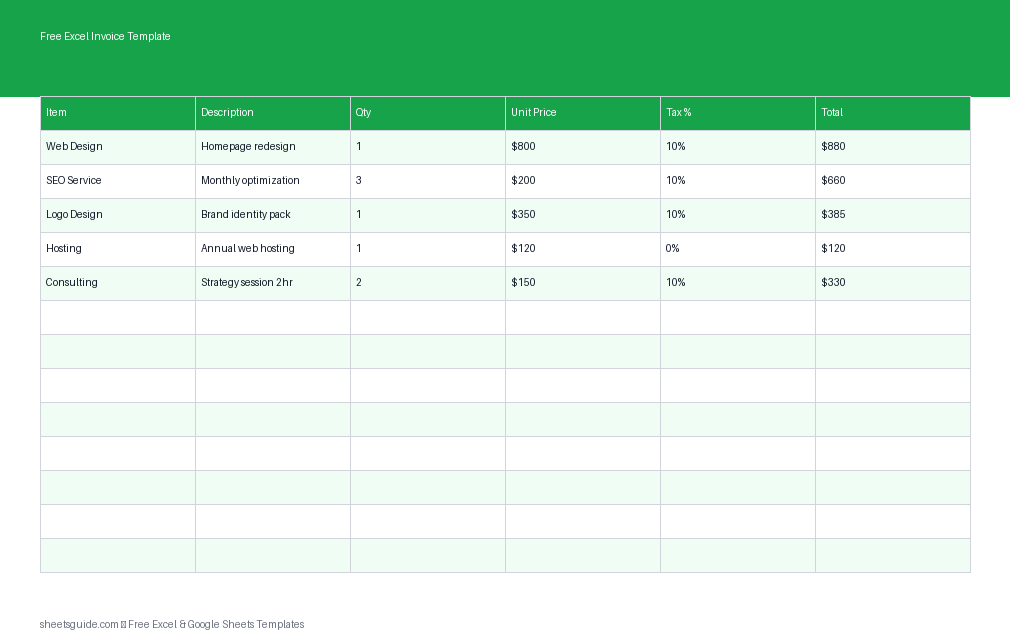
Download a free Excel template to create professional invoices with automatic totals, tax calculations, and payment tracking.

The Google Sheets QUERY function, clause by clause — SELECT, WHERE, GROUP BY, ORDER BY and LIMIT — to filter, summarize, and rank a dataset in one live formula.