

Using Conditional Formatting to Enhance Your Google Sheets Reports
Use conditional formatting in Google Sheets to make reports scannable: single-color thresholds, color-scale heat maps, and custom-formula whole-row rules.
Use conditional formatting in Google Sheets to make reports scannable: single-color thresholds, color-scale heat maps, and custom-formula whole-row rules.

Level up your Excel macros — store them in the Personal Macro Workbook, write reusable routines, chain them into one-click workflows, and hand data shaping to Power Query.
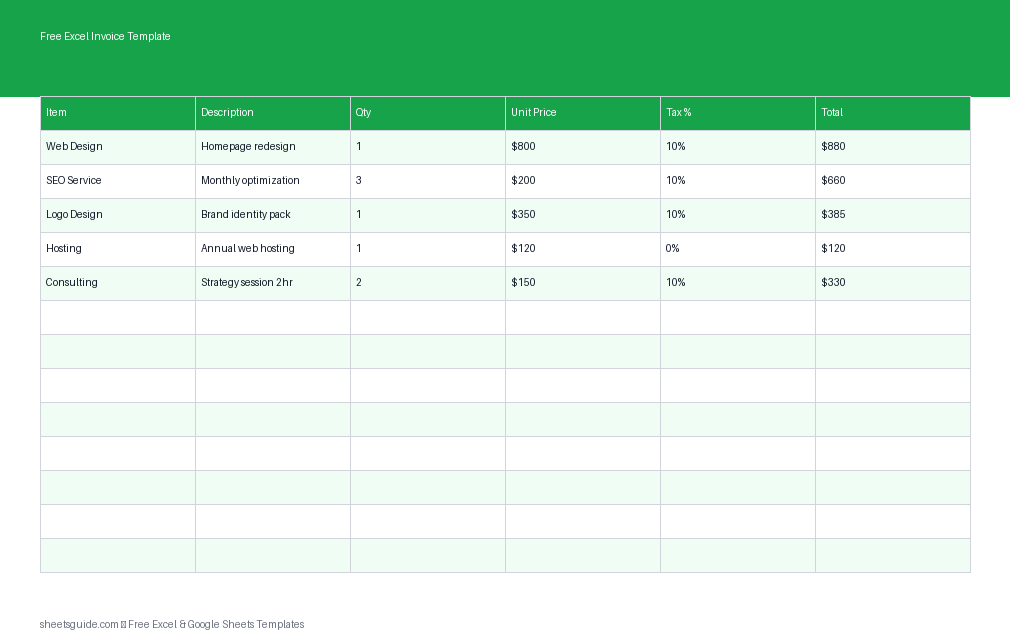
Download a free Excel template to create professional invoices with automatic totals, tax calculations, and payment tracking.

The Google Sheets QUERY function, clause by clause — SELECT, WHERE, GROUP BY, ORDER BY and LIMIT — to filter, summarize, and rank a dataset in one live formula.
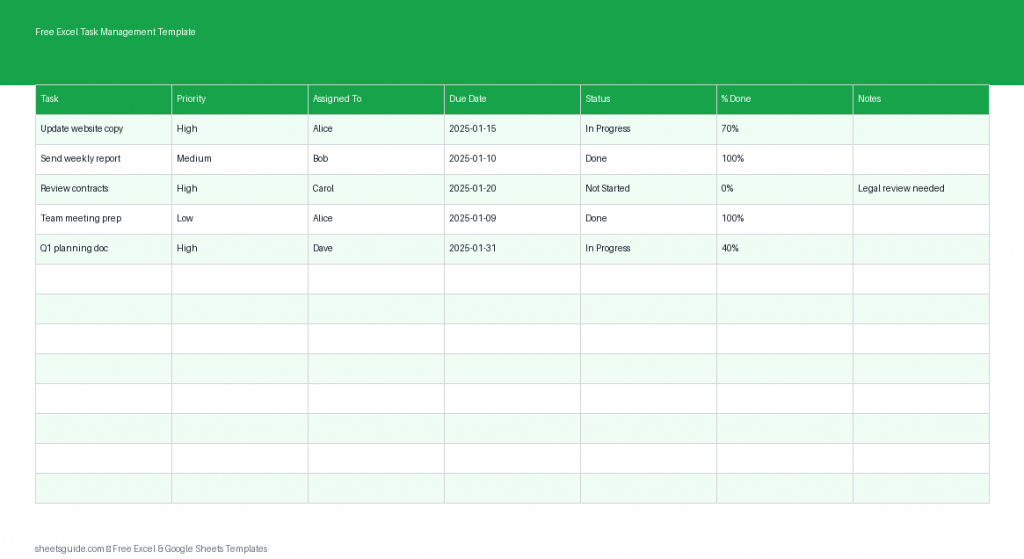
Download this free Excel template to track tasks, deadlines, priorities, and progress in one simple, organized sheet.

Excel Power Query for beginners — load messy data, clean it with a few clicks, unpivot a cross-tab into tidy rows, and Refresh All to replay every step next month.
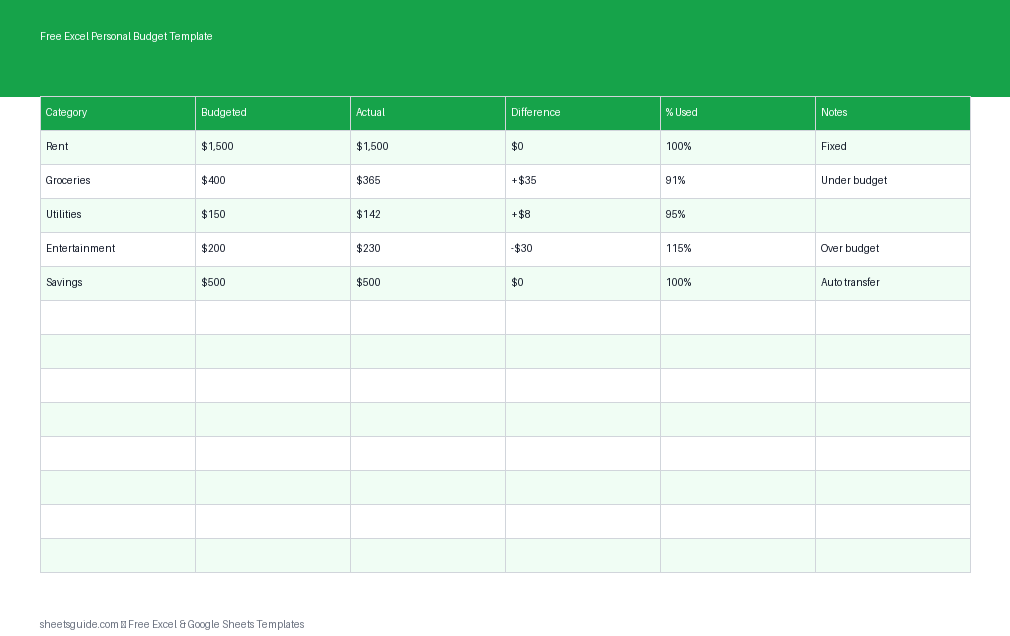
Download a free Excel template to track income, expenses, and savings with a simple personal budget spreadsheet.

ARRAYFORMULA runs one formula down a whole column: stretch IF and VLOOKUP across rows, auto-number, and skip it when FILTER or QUERY already spills.
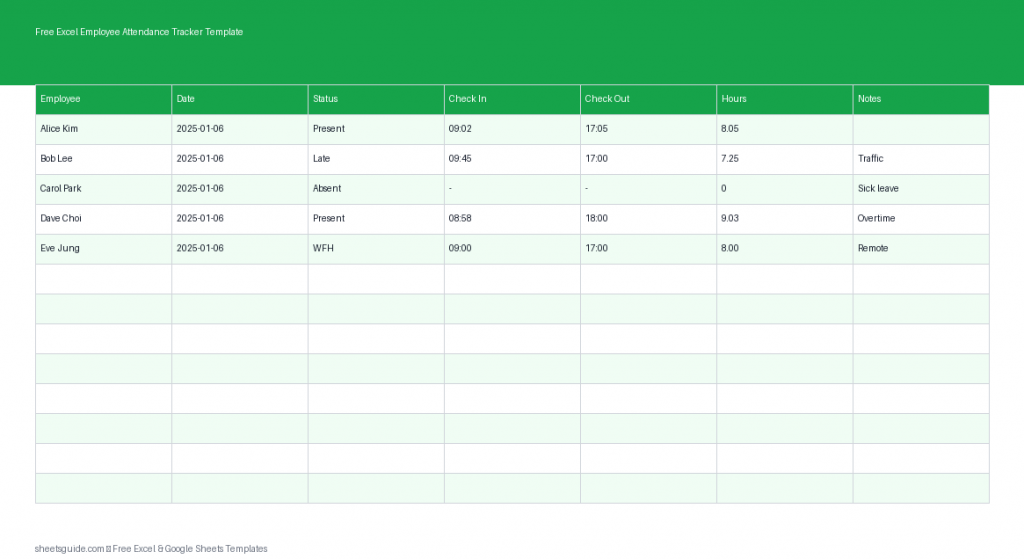
Track daily attendance, leaves, and work hours easily with this free Excel template for teams.

Excel VBA for beginners, the practical way — record a macro, read the code Excel wrote, wire it to a button, and write your first loop to automate repetitive tasks.
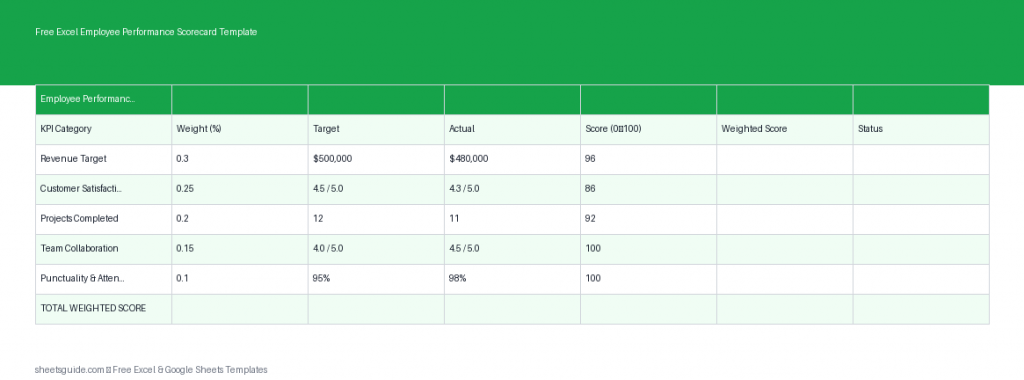
Track KPIs and ratings with this free Excel template for employee performance scorecards, with automated scoring and weights.
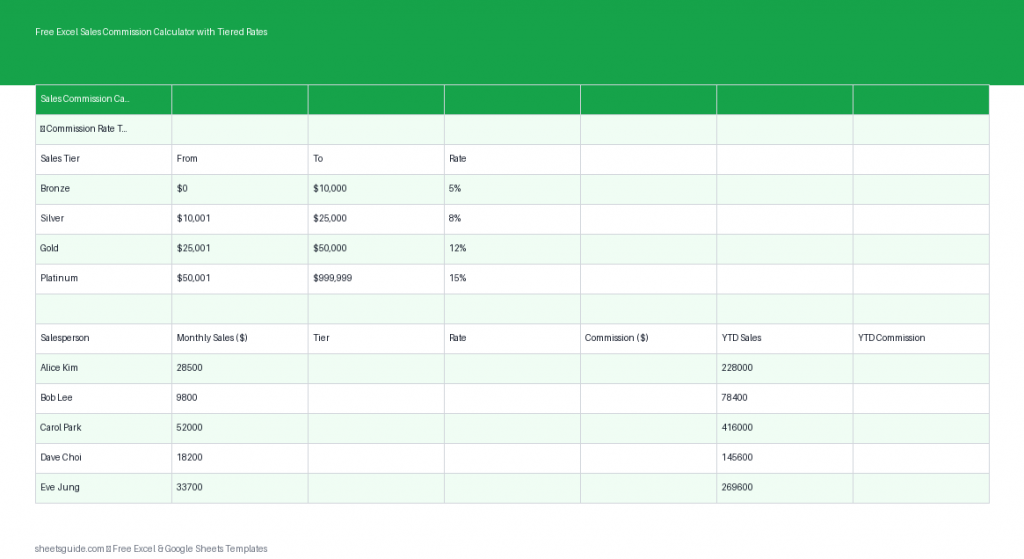
Track commissions with a free Excel template using tiered rates and automatic calculations.