
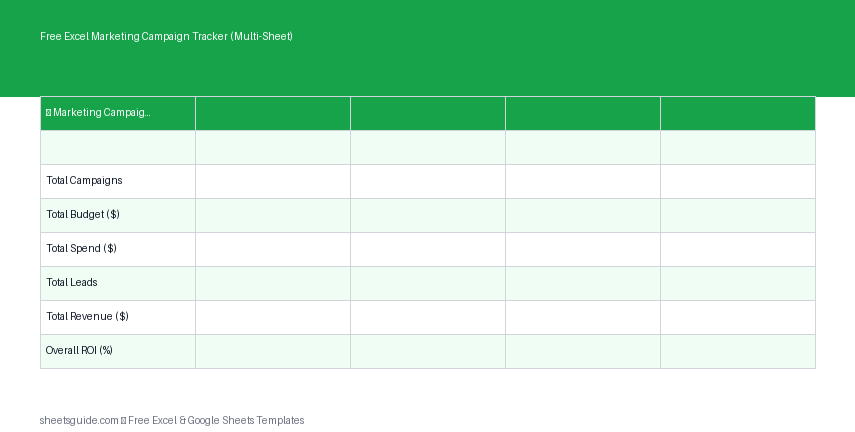
Managing multiple marketing campaigns at once can quickly become overwhelming without a clear system in place. Between tracking budgets, monitoring performance, and calculating return on investment, it’s easy for important details to slip through the cracks. That’s where this Excel template comes in.
The Free Excel Marketing Campaign Tracker (Multi-Sheet) is designed to give you a structured, easy-to-use workspace for organizing campaigns, analyzing results, and making smarter marketing decisions. Built for Excel first, this template also works seamlessly in Google Sheets, giving you flexibility no matter your preferred tool.
What This Excel Template Does
This Excel template provides a multi-sheet system that helps you manage marketing campaigns from planning through performance analysis. Instead of juggling multiple files or tools, everything is centralized in one place.
It includes three key sheets:
- Dashboard – A high-level view of campaign performance
- Data Input – Where you log campaign details and metrics
- Calendar – A visual timeline of campaigns
With built-in calculations, including automatic ROI tracking, you can quickly evaluate which campaigns are delivering results and which need adjustment.
Key Features
- Multi-sheet structure for organized tracking
- Automatic ROI calculation based on revenue and spend
- Centralized campaign database
- Clean dashboard for quick insights
- Simple calendar view for scheduling campaigns
- Compatible with Excel and Google Sheets
Template Columns Explained
The Data Input sheet is the core of this Excel template. It includes the following columns:
- Campaign – The name of your marketing campaign
- Channel – Platform or medium (e.g., Email, Social Media, PPC)
- Budget – Planned spend for the campaign
- Spend – Actual amount spent
- Leads – Number of leads generated
- Revenue – Total revenue attributed to the campaign
- ROI – Automatically calculated return on investment
This structure keeps your data consistent and makes it easy to compare performance across different campaigns and channels.
Why Use a Multi-Sheet Campaign Tracker?
Many marketers rely on single-sheet trackers, but these often become cluttered and difficult to navigate. A multi-sheet Excel template separates concerns, making your workflow more efficient.
Here’s why this approach works better:
- Clarity: Each sheet has a clear purpose
- Scalability: Easily manage more campaigns without confusion
- Better insights: Dashboard summaries reduce manual analysis
- Improved planning: Calendar view helps avoid overlaps
How to Use This Excel Template
1. Enter Campaign Data
Start by going to the Data Input sheet. Add a new row for each campaign and fill in the relevant fields, including budget, spend, leads, and revenue.
2. Track Performance Metrics
As your campaigns run, update the Spend, Leads, and Revenue columns. The ROI column will calculate automatically, saving you time and reducing errors.
3. Review the Dashboard
The Dashboard sheet provides a snapshot of your overall marketing performance. Use it to quickly identify:
- Top-performing campaigns
- Channels with the highest ROI
- Budget vs actual spend trends
4. Plan with the Calendar
The Calendar sheet helps you visualize when campaigns are scheduled. This is especially useful for coordinating launches, avoiding overlaps, and ensuring consistent marketing activity.
5. Optimize Your Strategy
Use insights from the dashboard to refine your approach. Shift budget toward high-performing channels and reconsider campaigns that aren’t delivering strong returns.
How to Use in Excel
- Download the Excel template file to your computer
- Open the file in Microsoft Excel
- Navigate to the Data Input sheet and begin entering your campaign data
- Allow Excel formulas to automatically calculate ROI and summaries
- Use the Dashboard and Calendar sheets to monitor and plan campaigns
- Save your file regularly to keep your data up to date
This Excel template is built to work natively in Excel, using standard formulas and layouts. If you prefer, you can also upload it to Google Sheets, where it will continue to function with minimal or no adjustments.
Practical Use Cases
This Excel template is flexible enough to support a wide range of marketing activities. Here are a few ways you can use it:
Digital Marketing Campaigns
Track paid ads, email campaigns, and social media promotions in one place. Compare performance across channels to identify where your budget works hardest.
Content Marketing
Monitor blog promotions, video campaigns, or lead magnets. Measure how content contributes to leads and revenue.
Small Business Marketing
If you’re running a small business, this template helps you stay organized without needing expensive tools. Keep track of every dollar spent and ensure you’re getting a return.
Agency Reporting
Marketing agencies can use this Excel template to manage multiple client campaigns and quickly generate performance insights.
Tips for Getting the Most Out of This Template
- Be consistent: Enter data regularly to keep reports accurate
- Use clear campaign names: This makes filtering and analysis easier
- Track all channels: Even smaller campaigns can reveal valuable insights
- Review weekly: Frequent check-ins help you catch issues early
- Adjust budgets: Use ROI data to reallocate spend strategically
Benefits of Tracking ROI Automatically
One of the most valuable features of this Excel template is its automatic ROI calculation. Instead of manually calculating returns for each campaign, the template does the work for you.
This allows you to:
- Quickly identify profitable campaigns
- Eliminate guesswork in decision-making
- Save time on reporting
- Focus on strategy instead of calculations
Keep Your Marketing Organized and Effective
Marketing success depends on clear data and consistent tracking. Without a structured system, it’s difficult to know what’s working and what isn’t. This Excel template provides that structure, helping you stay organized and make informed decisions.
Whether you’re managing a handful of campaigns or a large marketing portfolio, this tool gives you the visibility and control you need. With its multi-sheet design, automatic calculations, and easy-to-use layout, it’s a practical solution for marketers at any level.
Download the template, start tracking your campaigns, and take control of your marketing performance with confidence.