
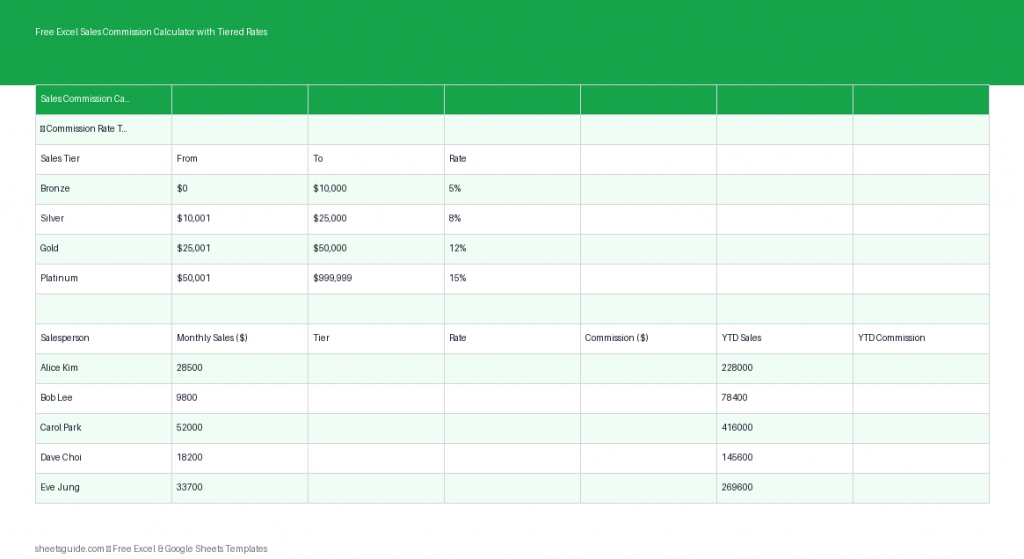
Free Excel Sales Commission Calculator with Tiered Rates
Download this Excel template to calculate tiered sales commissions automatically with built-in formulas.
Download this Excel template to calculate tiered sales commissions automatically with built-in formulas.

A reliable Excel data-analysis workflow — frame the question, clean and structure the data, explore with a pivot, pick the right tool, and verify before you trust the result.
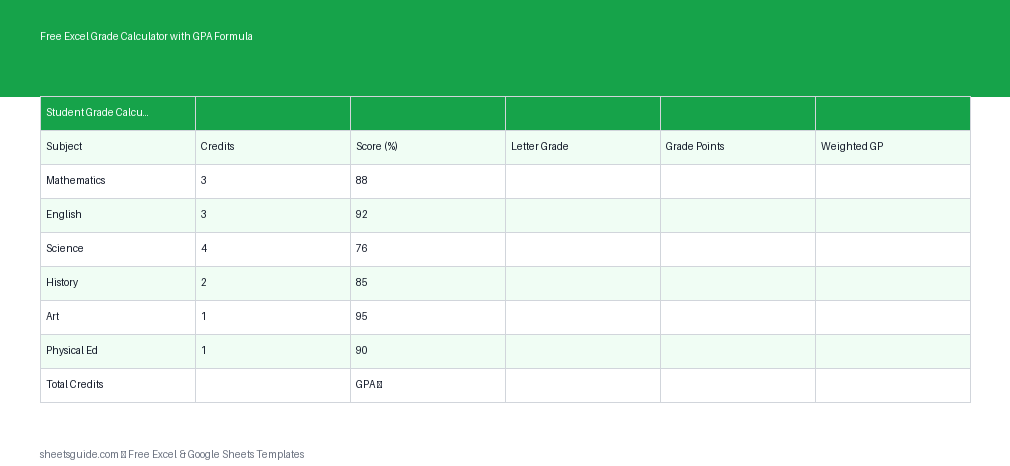
Download a free Excel template to calculate grades, weighted averages, and GPA automatically with built-in formulas.

Analyze large datasets in Google Sheets — filter views, QUERY, FILTER, pivot tables, IMPORTRANGE, and performance habits like closed ranges that keep it fast past 100k rows.
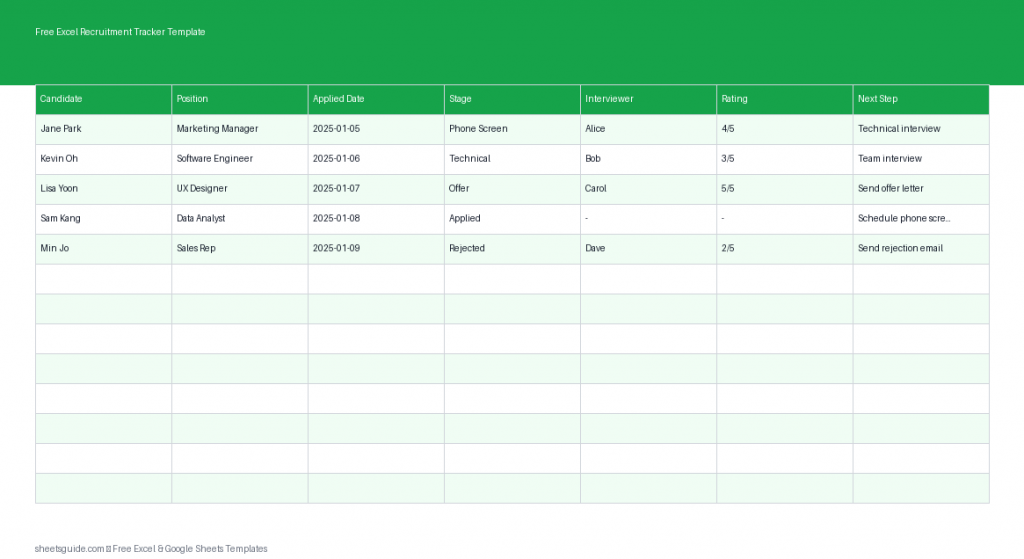
Track applicants easily with this free Excel template for recruitment and hiring workflows.
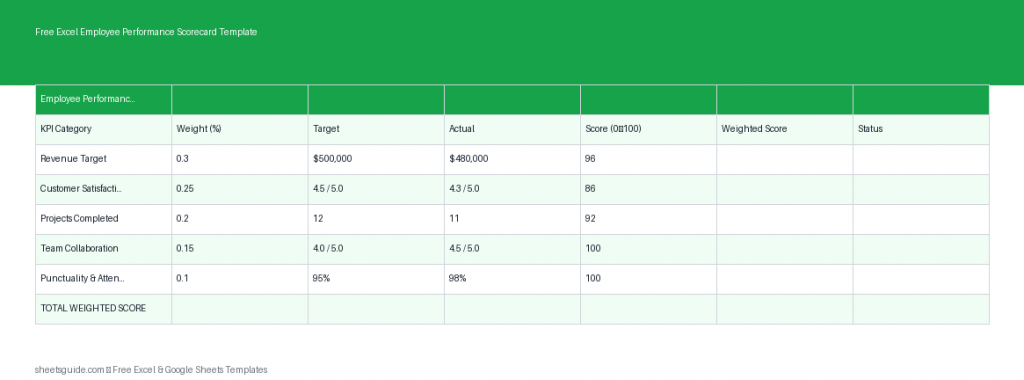
Download this free Excel template to track employee performance with weighted KPIs, targets, and automatic scoring.

Excel’s modern dynamic-array functions explained — spill, FILTER, SORT, UNIQUE, SEQUENCE, LET and LAMBDA — where one formula fills a whole range and updates itself live.
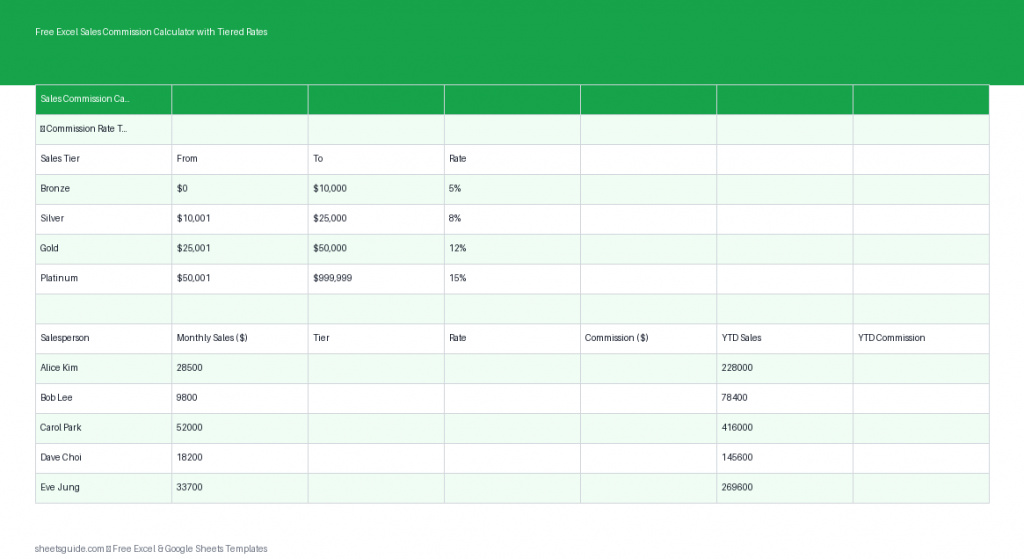
Free Excel template to calculate sales commissions with tiered rates, tracking earnings and YTD totals automatically.

Turn pivot tables into interactive dashboards — PivotCharts, slicers, and timelines, with one slicer driving every chart via Report Connections, plus drill-through and refresh.
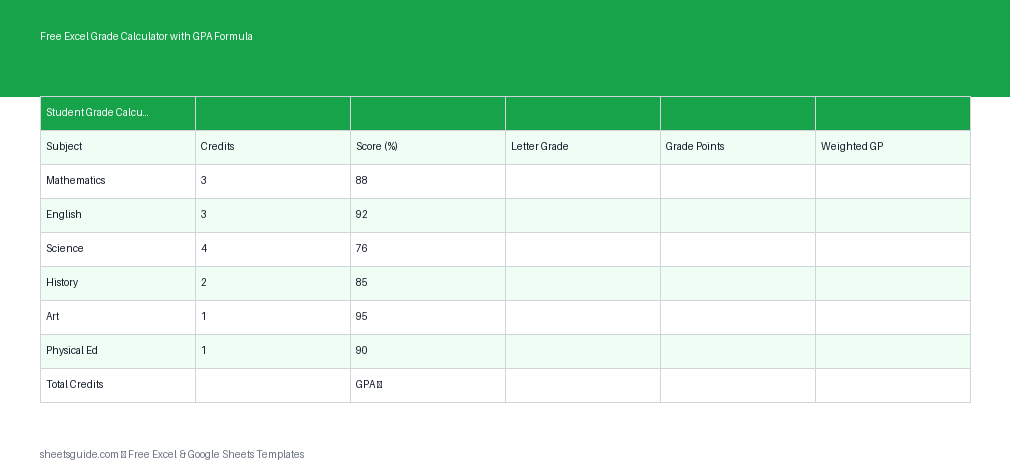
Download this free Excel template to calculate grades, weighted averages, and GPA automatically with built-in formulas.

Press Ctrl+T and a plain range becomes an Excel Table — structured-reference formulas, auto-expanding ranges, a one-click total row, free filtering, and self-updating pivots.
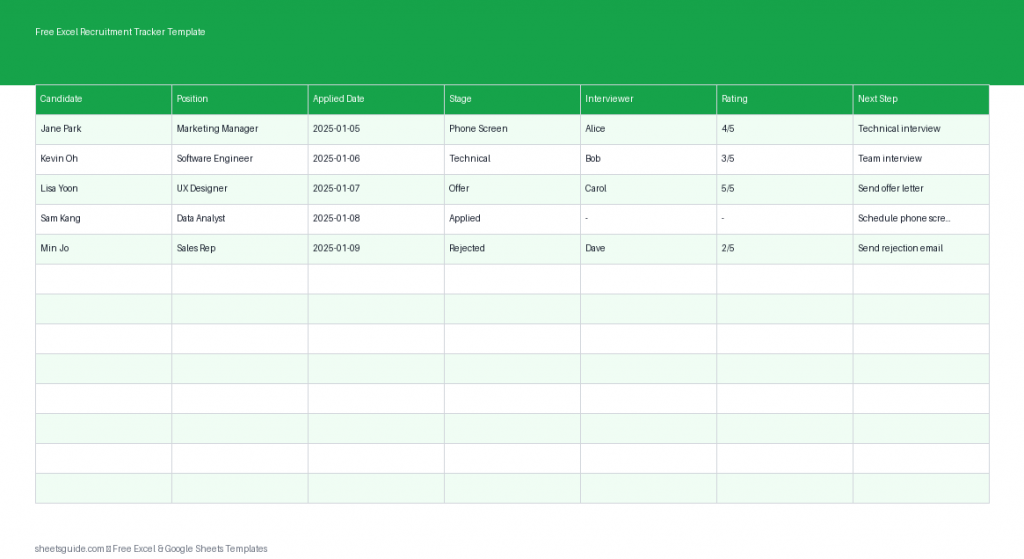
Organize hiring with this free Excel template to track applicants, stages, and interview notes in one place.